Project info
Overview
AppForceStudio, A Unified Design + Code Workflow for Modern Builders
Problem
Modern product creation is deeply fragmented.
Designers work in Figma, developers in IDEs, AI lives in side panels, and design systems exist as static documentation that AI tools don’t truly understand. This fragmentation creates friction at the exact moment speed and clarity matter most — early-stage product ideation and iteration.
Despite the rise of AI tools, most workflows still suffer from:
Context switching between design, code, and AI tools
Design systems that don’t persist across generations
Builders being locked into a single platform or runtime
AI outputs that lack structural or production awareness
The Core Problem:
There is no single environment where intent, design, and code coexist as one continuous workflow.
Product Goal
To create an AI-first, multi-platform visual IDE that allows users to move from idea → design → system → code without leaving context or switching tools.
The product is structured into two deeply connected modes:
Design Mode (Canvas / Playground)
Code Mode (Multi-Platform IDE)
Both are accessible from a single landing page and dashboard, supporting multiple input methods:
Text prompting
Image or screenshot upload
Voice input
Product Architecture (High Level)
Landing Page: Entry point for new and returning users
Dashboard: Project hub, recent work, mode switching
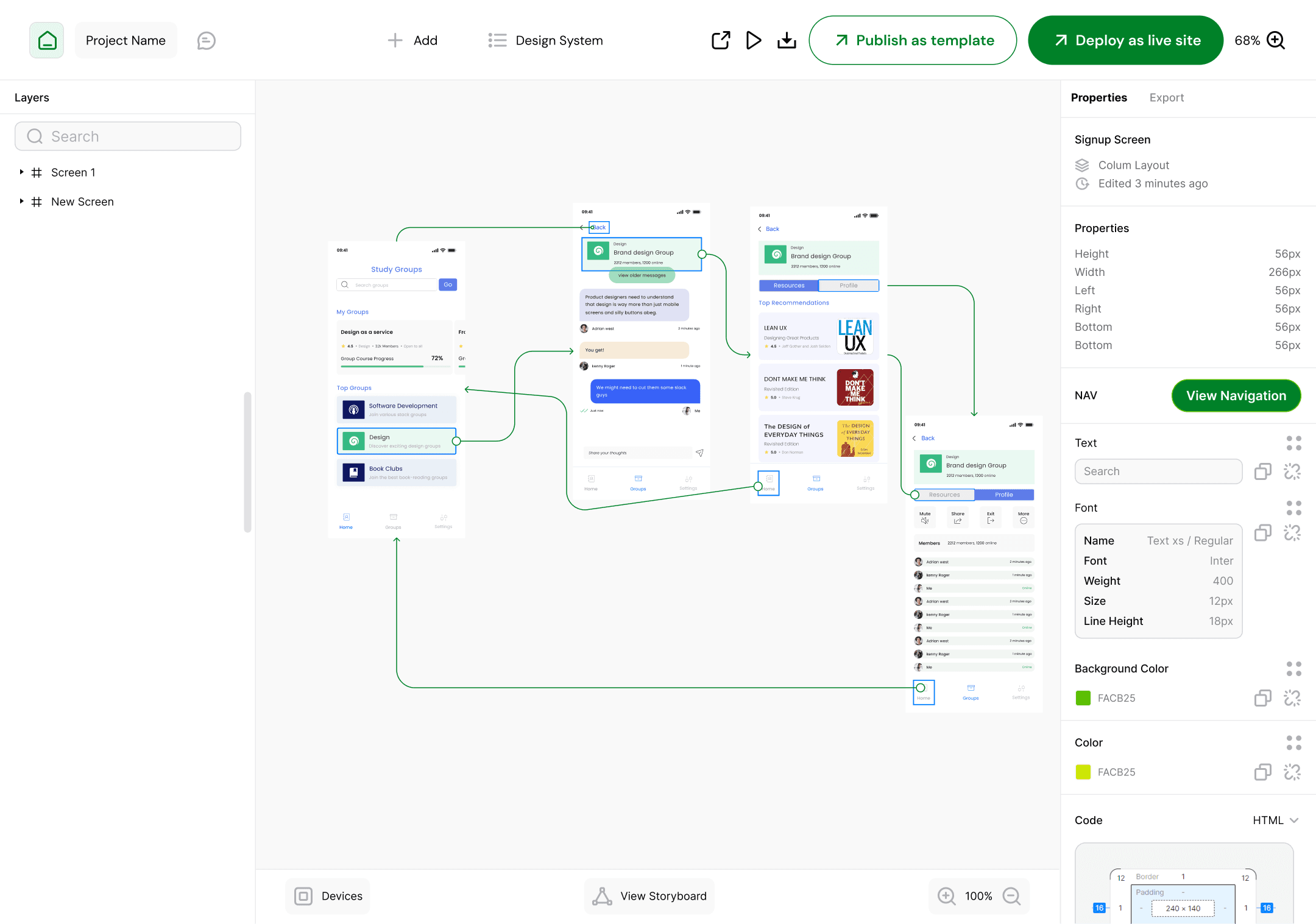
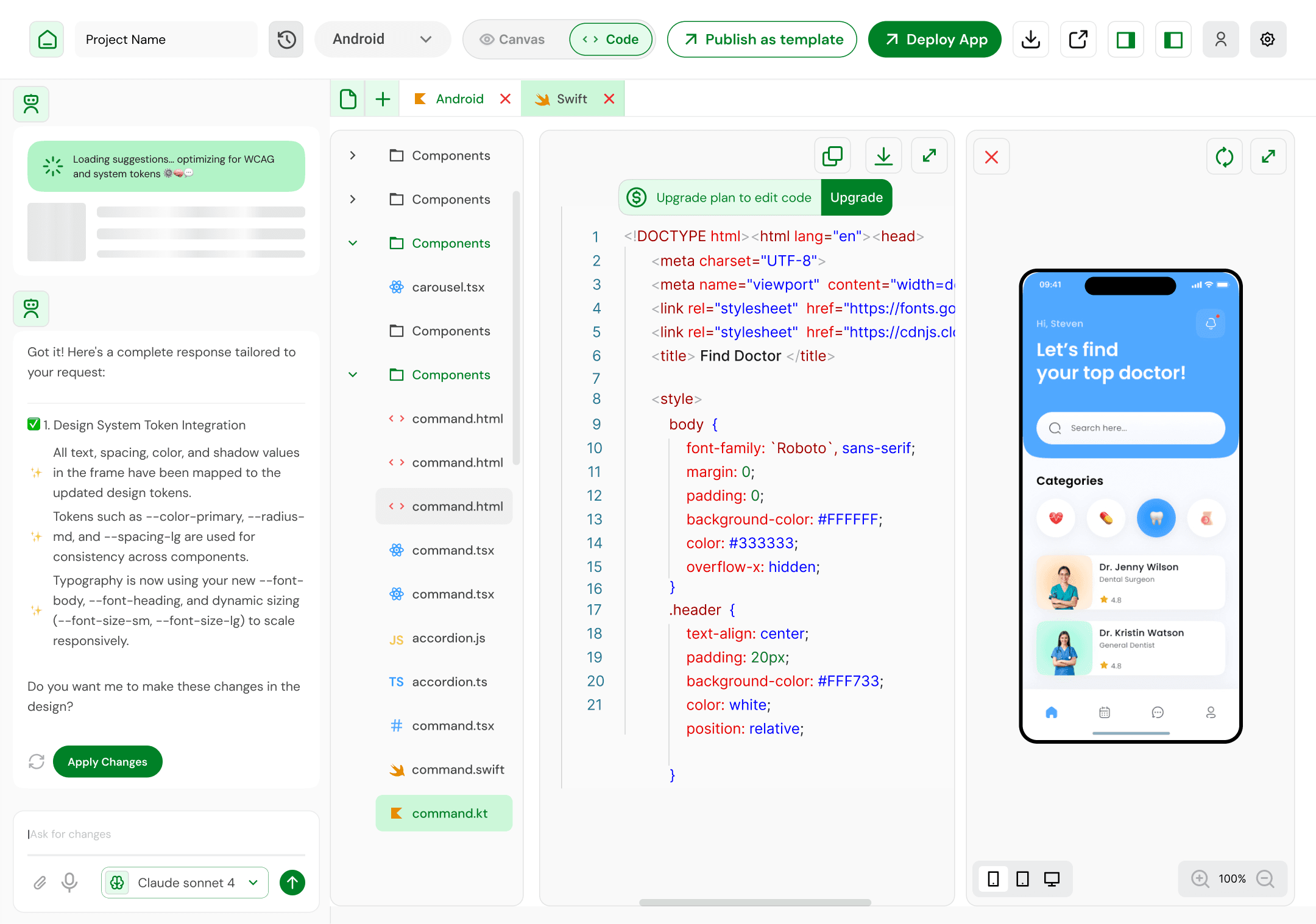
Design Mode (Canvas / Playground): Visual ideation & system creation
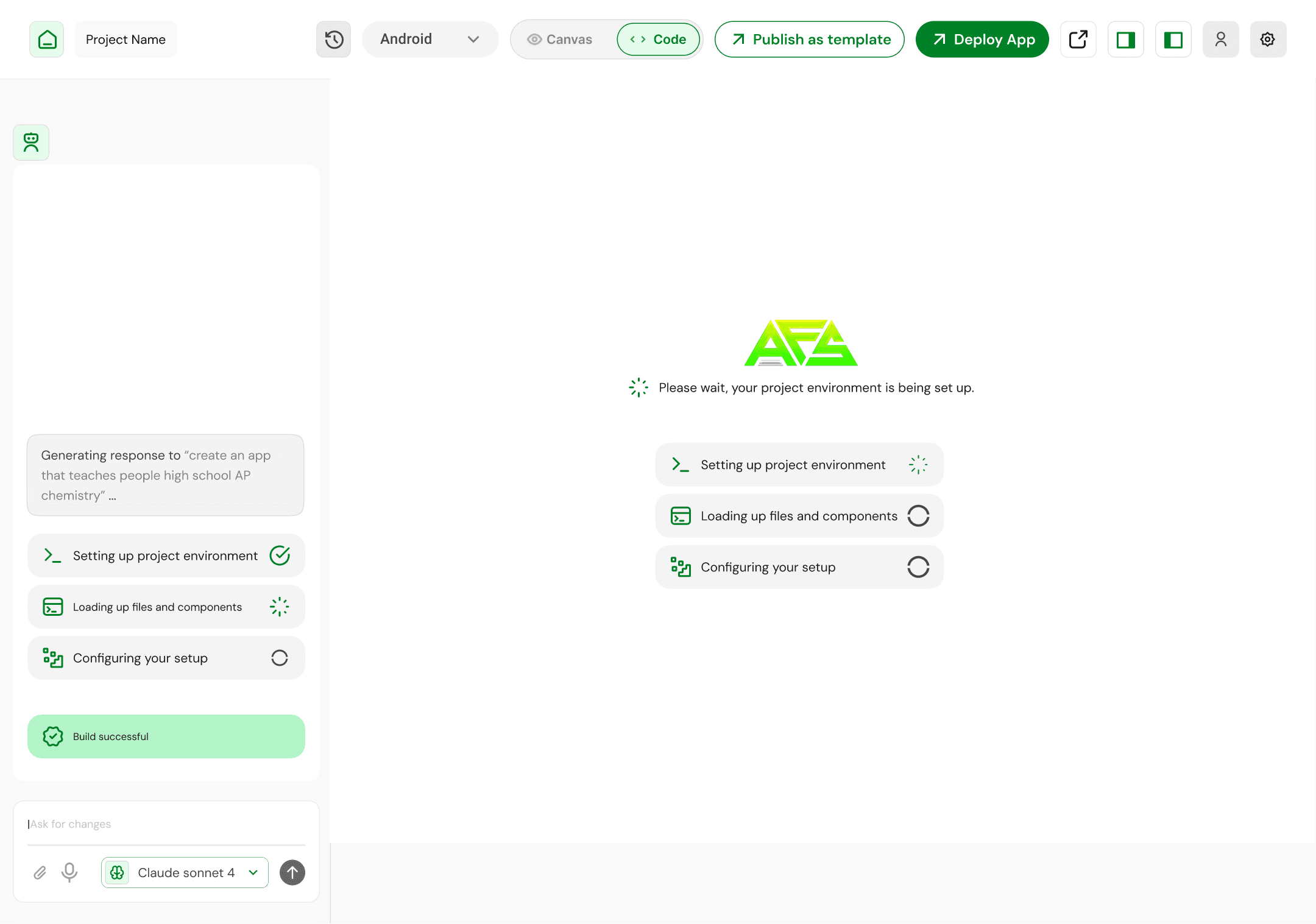
Code Mode (IDE): Multi-platform implementation & logic
The key design decision was to avoid treating design and code as separate products. Instead, they are two views of the same system.
Part 1: Design Mode — Canvas / Playground
Purpose of Design Mode
Design Mode exists to answer one question:
“What should this product look and feel like — and why?”
It is optimized for exploration, ideation, and system definition, not pixel-perfect finality.
Key Capabilities
1. Prompt-Driven Design Generation
Users can generate:
Web layouts
Mobile interfaces
Individual components or full screens
Inputs include:
Natural language prompts
Uploaded screenshots or reference images
Voice instructions for hands-free ideation
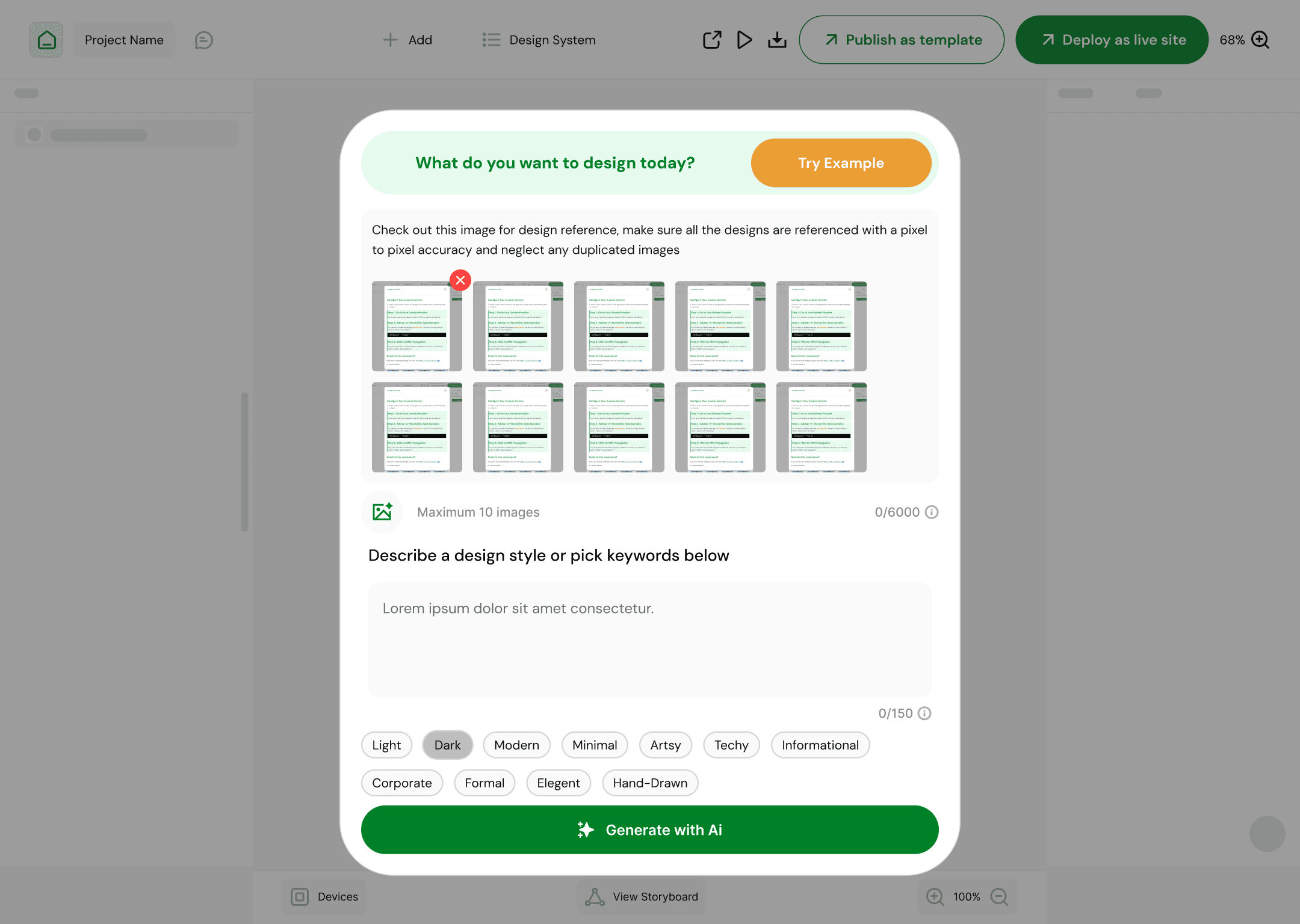
The system interprets intent, not just commands, generating structured layouts rather than flat images.
2. Canvas-First Interaction Model
Instead of traditional artboards:
Users work inside a living canvas
Generated designs are editable, inspectable, and evolvable
The canvas becomes a thinking space, not a static output
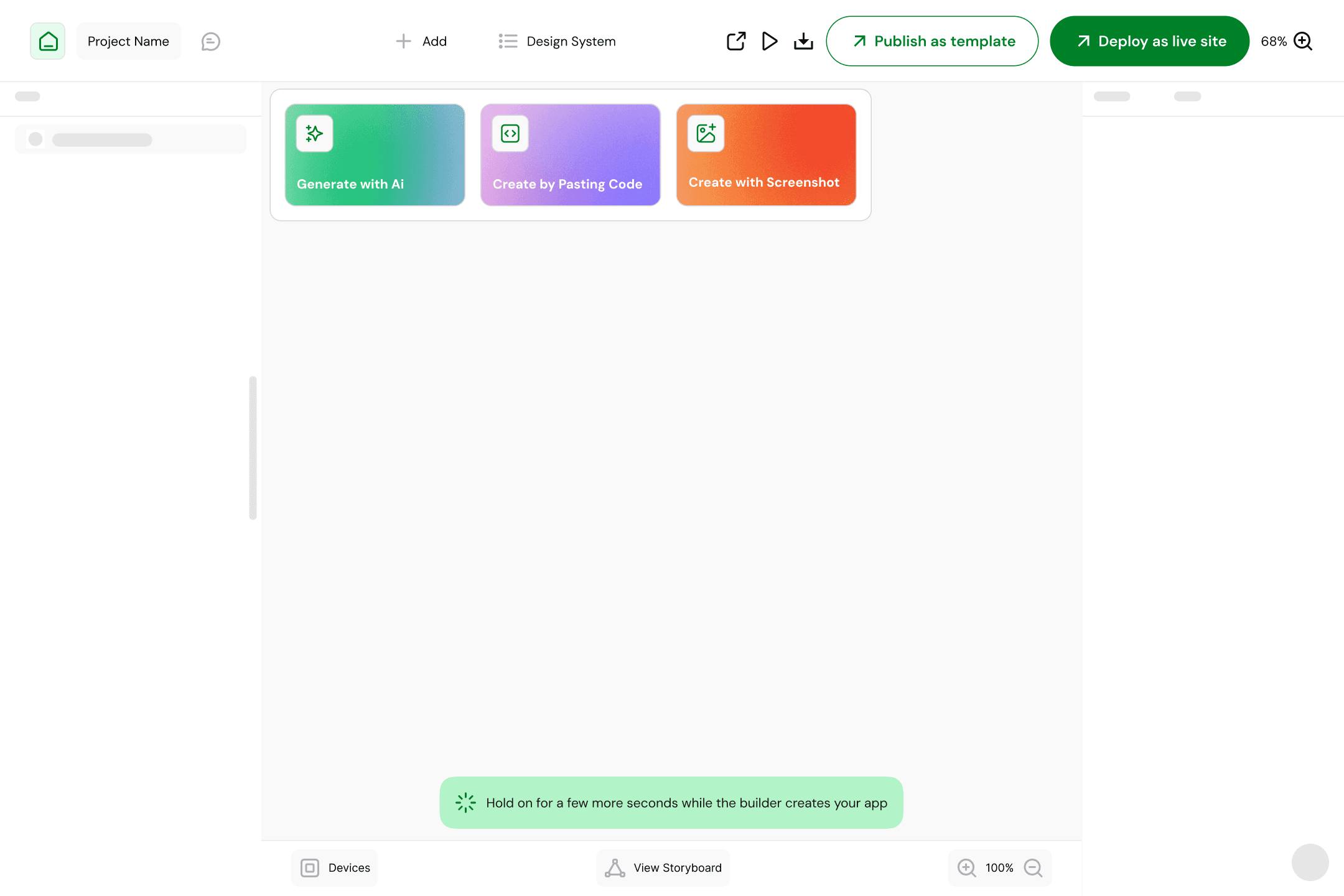
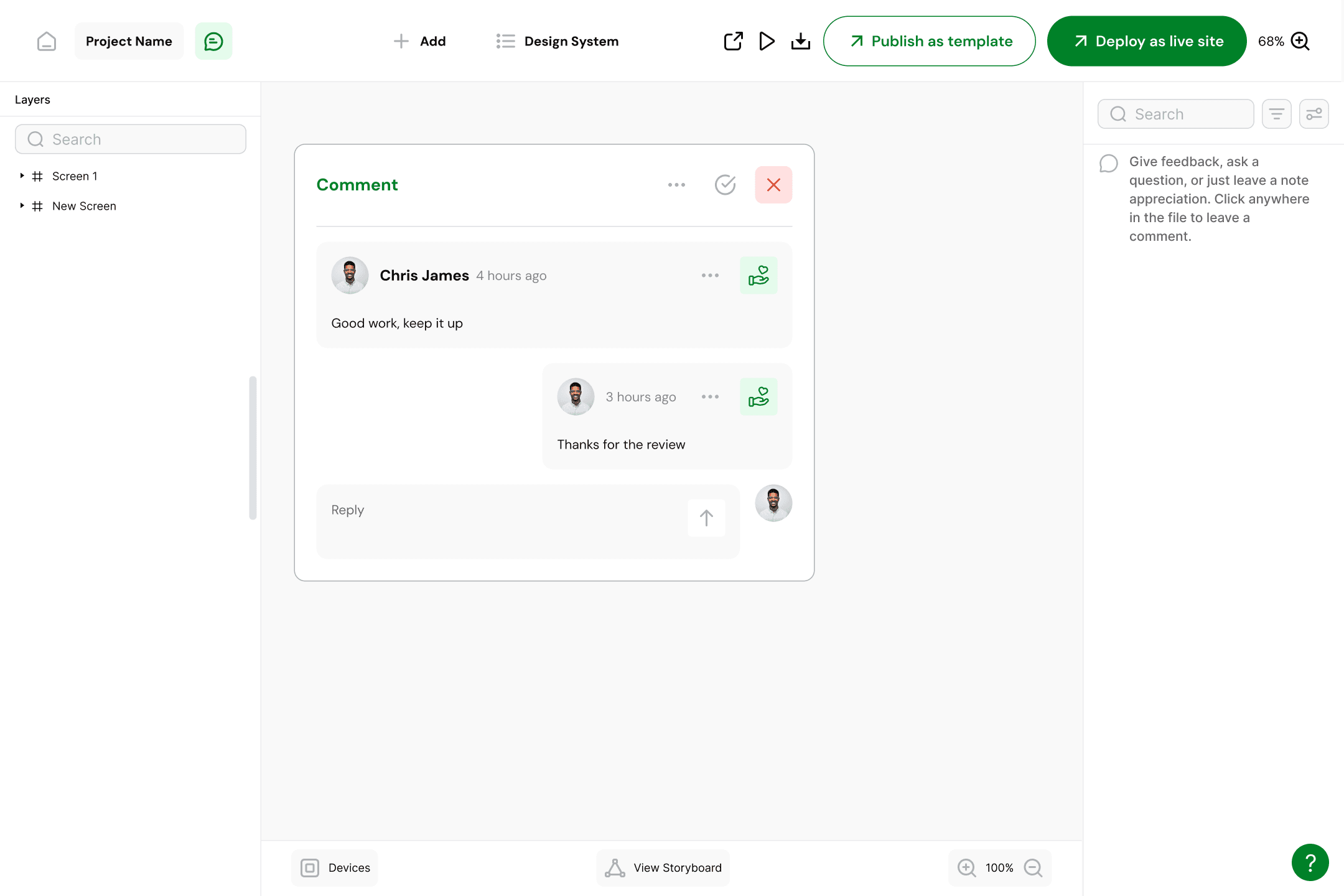
This reinforces the idea that design is iterative and conversational, especially when AI is involved.
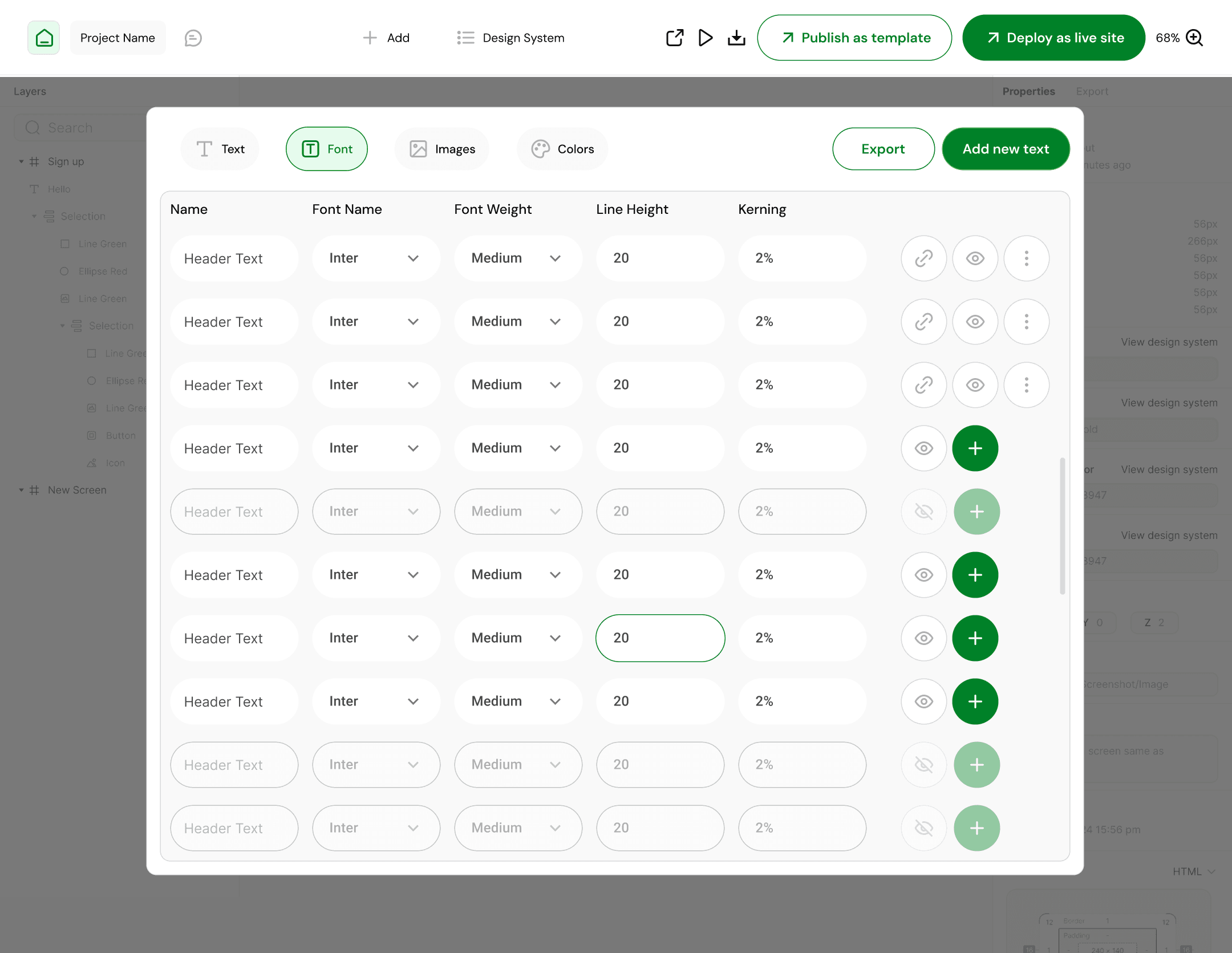
3. Built-In Design System Creation
A critical differentiator of the product is that design systems are first-class citizens, not an afterthought.
Users can define and manage:
Colors (semantic + brand tokens)
Typography (font families, scales, hierarchy)
Images (brand assets, mood references, AI-generated visuals)
These systems:
Persist across generations
Influence future AI outputs
Serve as the foundation for code generation
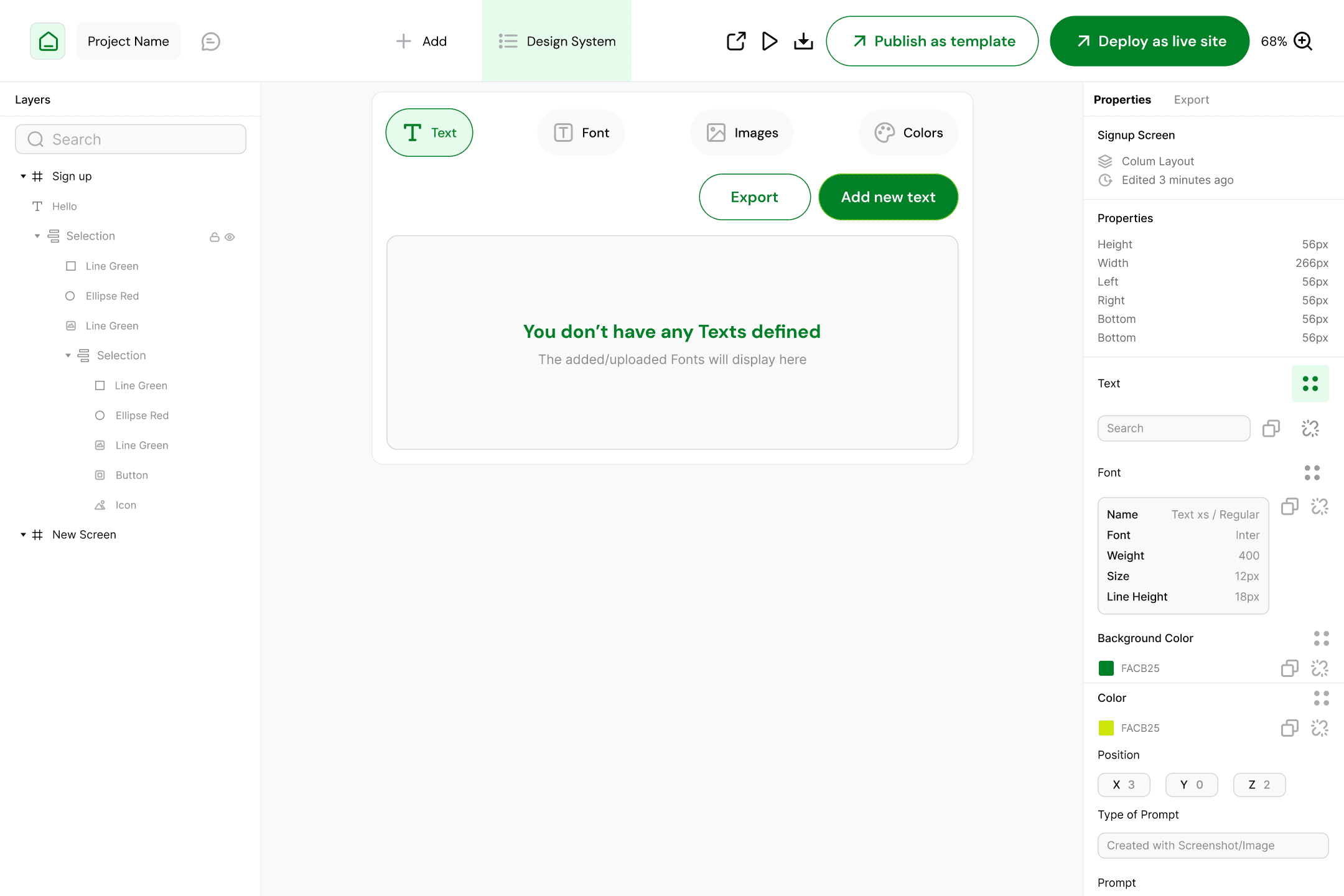
This directly addresses a major gap in existing AI design tools *lack of system memory*
4. Multi-Platform Awareness
Even in design mode:
Users can specify target platforms (web or mobile)
Layouts respect platform conventions
Components are structured with implementation in mind
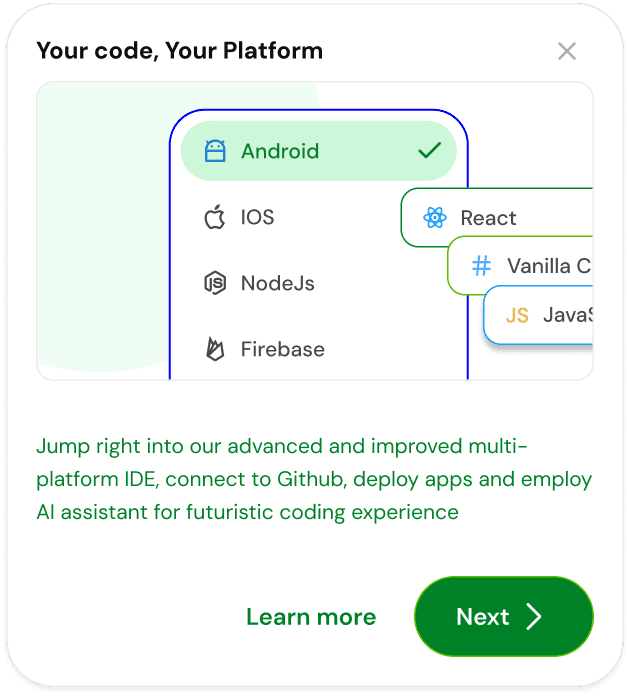
This prevents the common issue of “pretty but unusable” AI designs.
Key Design Decisions (Design Mode)
Canvas over artboards: Encourages exploration, not finality
Systems before screens: Ensures consistency and scalability
AI as collaborator, not replacement: Users steer, AI assists
Multi-input flexibility: Reduces friction for different thinking styles
Part 2: Code Mode ( Multi-Platform IDE )
Purpose of Code Mode
Code Mode answers a different question:
“How does this actually work across platforms?”
This is where design intent becomes executable logic.
Core Idea
Instead of exporting designs to an external IDE, users step into Code Mode, a multi-platform development environment that understands:
The design system
The component structure
The user’s original intent
Design and code are no longer separate artifacts; they are two representations of the same source of truth.
Key Capabilities
1. Multi-Platform Code Generation
The IDE supports generating structured code that can target:
Web platforms
Scalable component architectures
Future extensibility to mobile environments
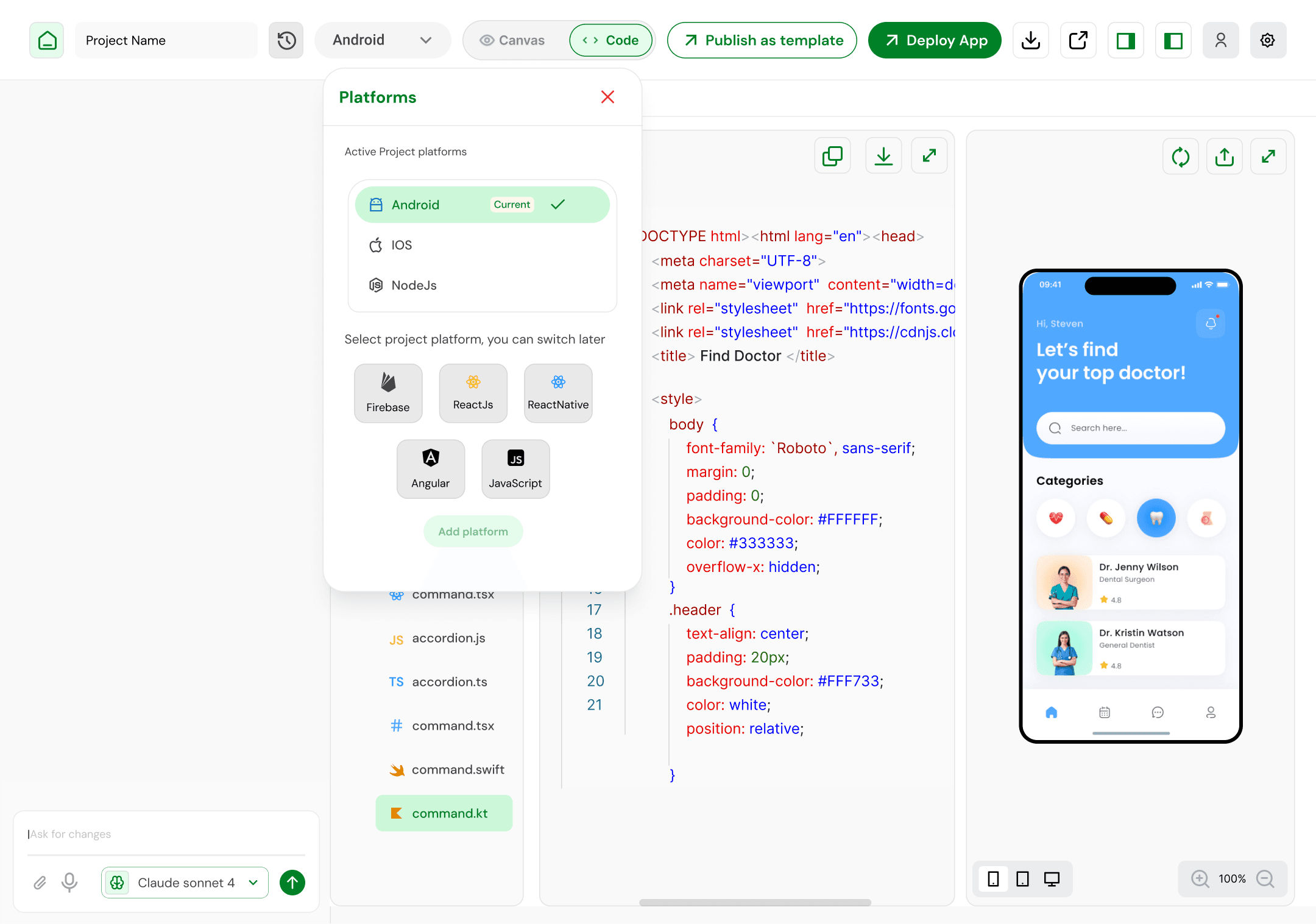
The emphasis is on readable, maintainable output, not one-click black boxes.
2. Component-First Code Structure
Code is organized around:
Components
Design tokens
Shared logic
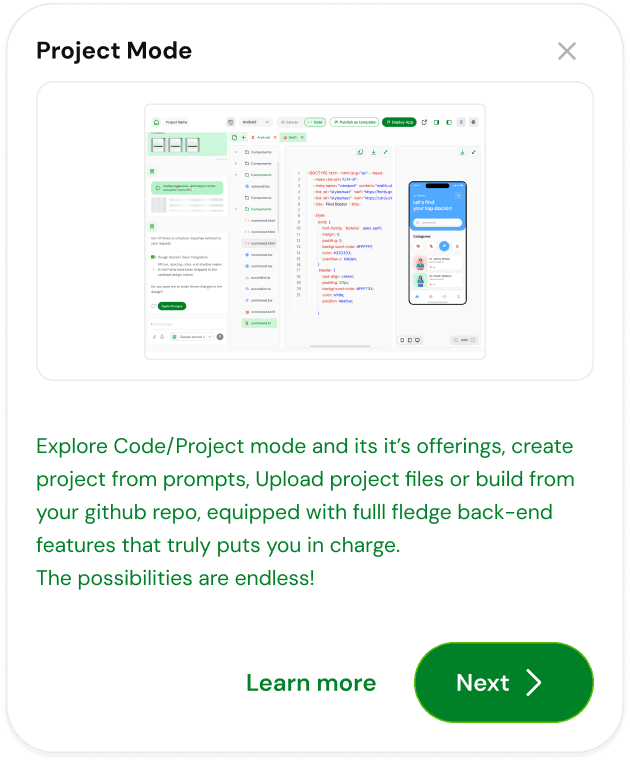
This mirrors the mental model established in Design Mode, reducing cognitive load when switching contexts.
3. AI-Assisted Development
Users can:
Prompt changes to logic or structure
Refactor components
Generate boilerplate or platform-specific adaptations
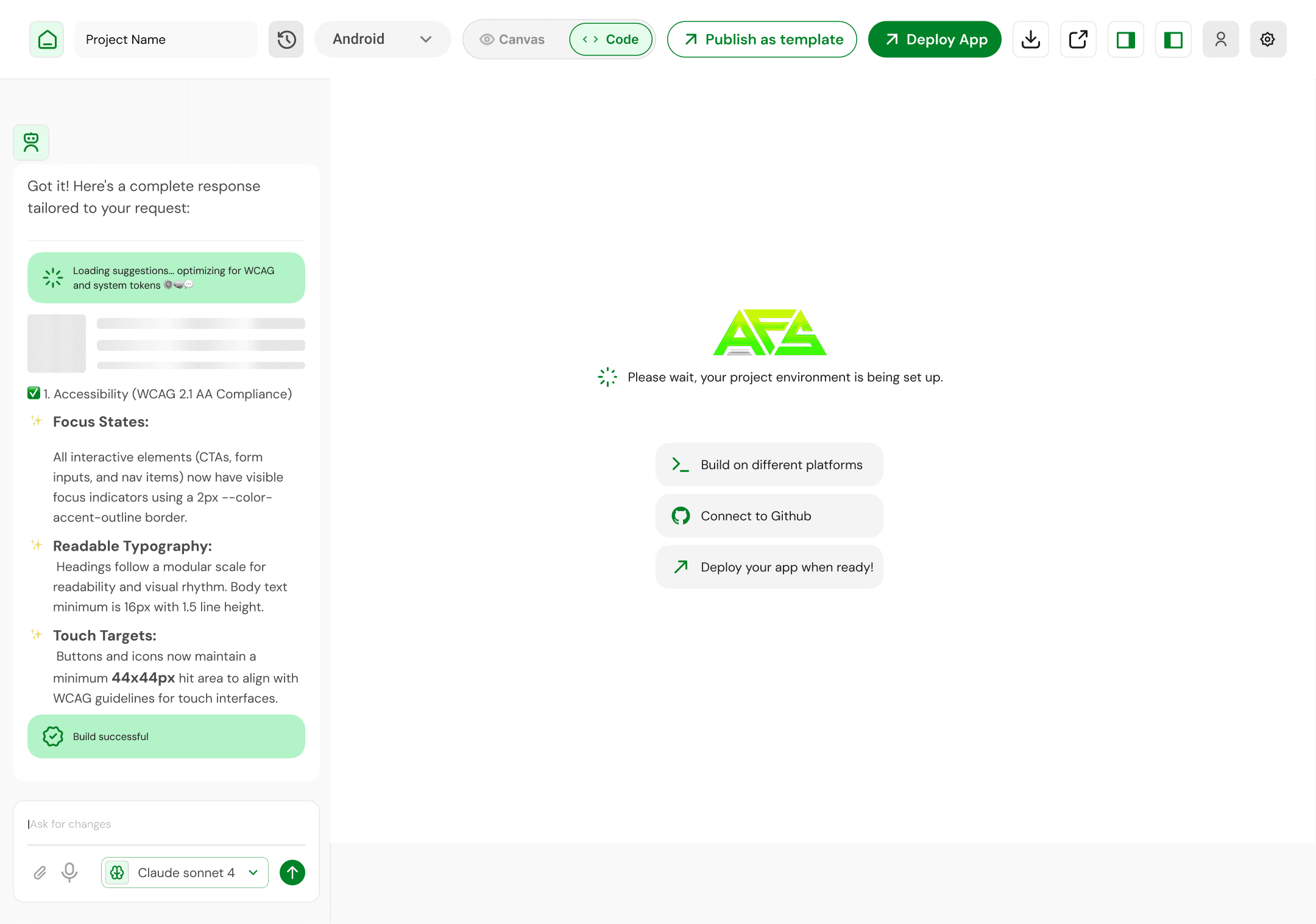
Crucially, AI operates within constraints defined by the design system, not in isolation.
4. Seamless Mode Switching
Users can:
Move from Design → Code without exporting
See immediate alignment between visuals and structure
Maintain consistency across both modes
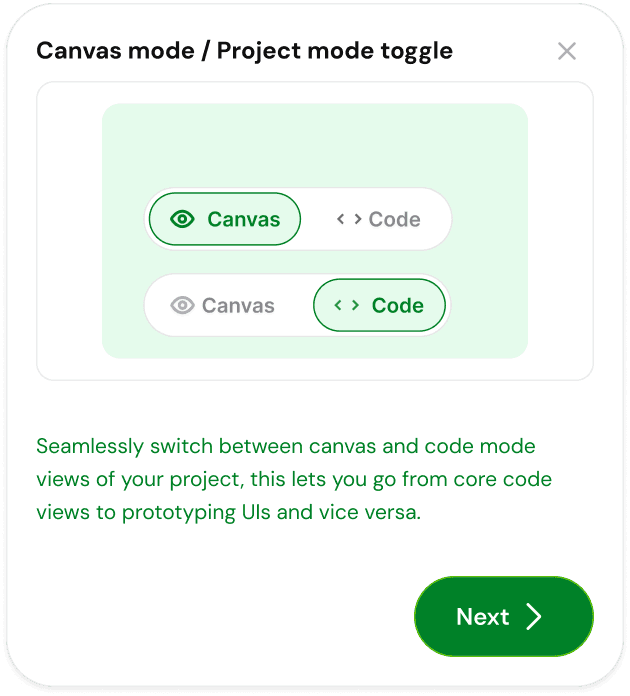
This reinforces trust in the system.
Key Design Decisions (Code Mode)
Unified project state: No design-code drift
Platform-agnostic mindset: Avoids vendor lock-in
AI with guardrails: Prevents architectural chaos
IDE, not code dump: Supports real development workflows
Outcomes & Learnings
What This Project Validated
Builders want continuity, not more tools
AI is most powerful when grounded in systems
Design and code separation is a workflow problem, not a technical necessity
Key Learnings
Persistent design systems dramatically improve AI output quality
A shared mental model across modes reduces friction
Constraint-driven AI feels more “professional” than free-form generation
Why This Project Matters
This project explores a future where:
Design is not thrown away after handoff
Code is not divorced from intent
AI is a collaborator inside the workflow, not a sidebar
It reframes the IDE not as a developer tool, but as a product creation environment.